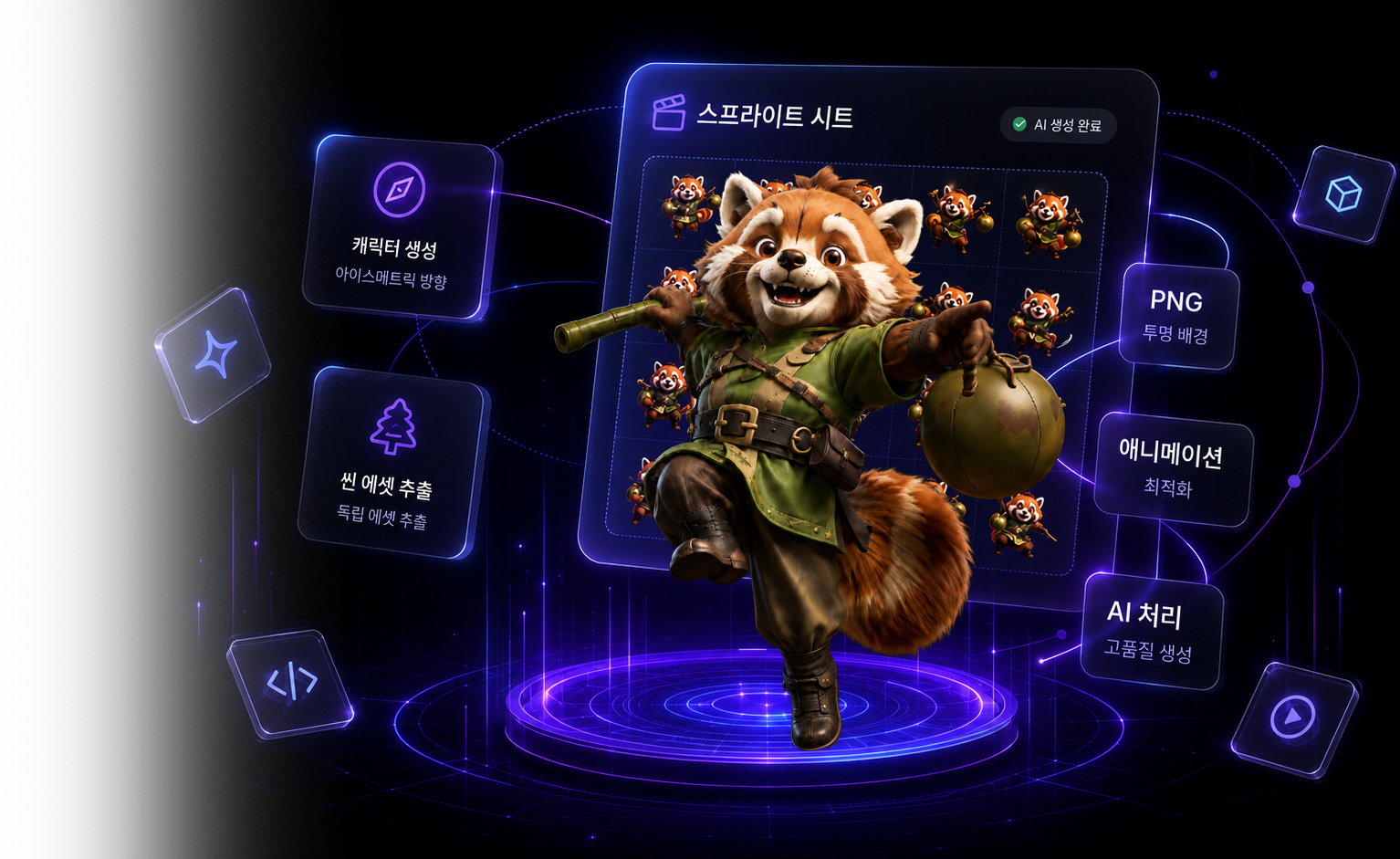
캐릭터 한 장으로, 스프라이트 시트를 완성하세요
AI가 캐릭터 이미지를 분석해 다양한 움직임의 스프라이트 시트를 자동으로 생성합니다. 애니메이터도, 리깅도, 한 장씩 그리는 작업도 필요 없습니다.
빠른 시작
빠른 시작 — 이미지 한 장으로 5분 만에 스프라이트 시트
캐릭터 이미지 한 장을 업로드해서 걷기·공격 같은 애니메이션 스프라이트 시트를 내보내기까지, 가장 빠른 경로를 4단계로 정리했습니다.
워크스페이스
캐릭터 이미지에서 스프라이트 시트까지, 4단계로
도구를 골라 게임에 바로 쓸 에셋을 만들어 보세요.
스프라이트 시트
캐릭터 생성
씬 에셋 추출
3D 모델 → 스프라이트 시트
NEW무료리깅된 3D 모델을 업로드하고 동작을 고르면 4·8·16방향 스프라이트 시트를 당신의 GPU로 렌더링합니다 — 전부 브라우저에서, 무료로.
신기능
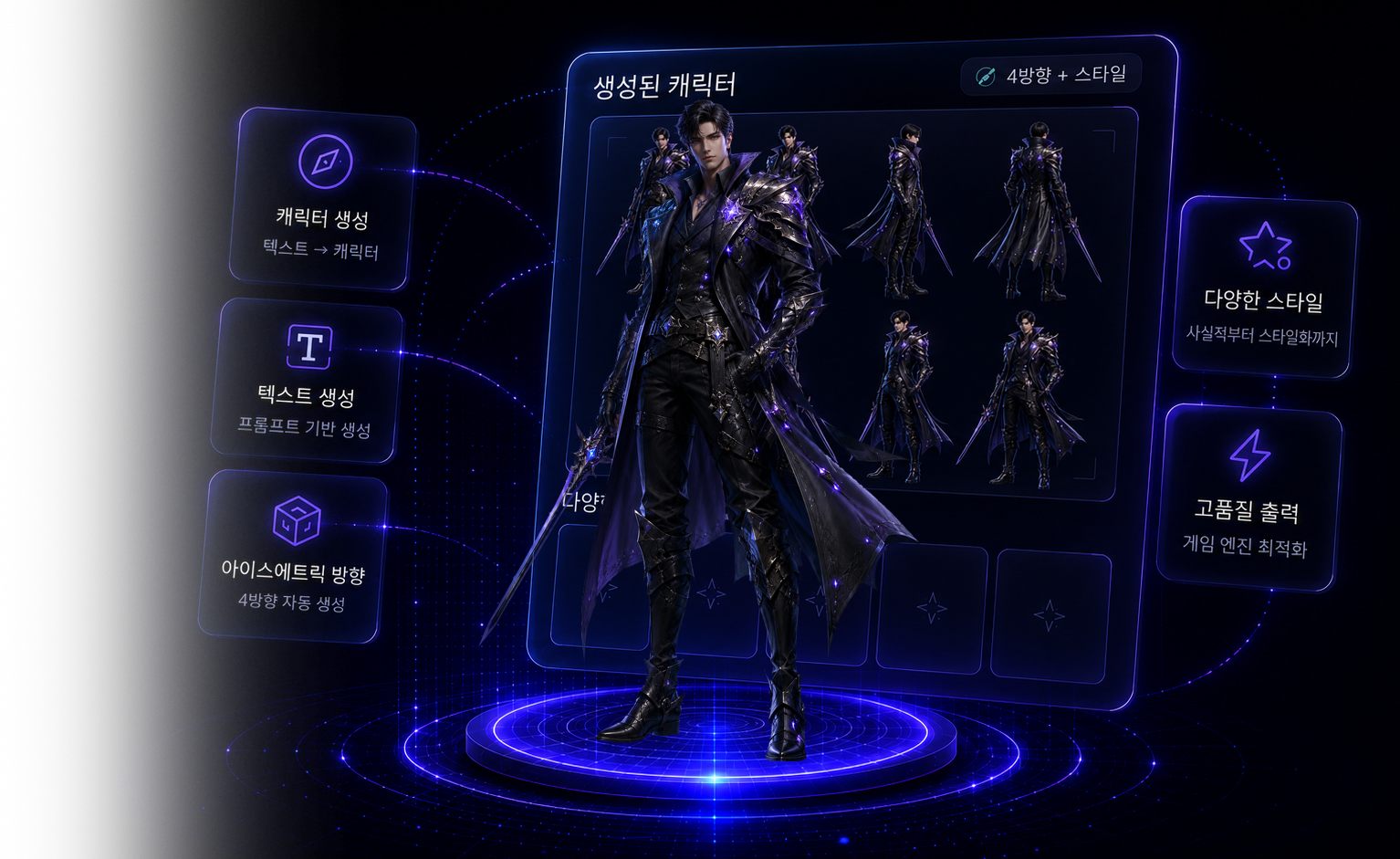
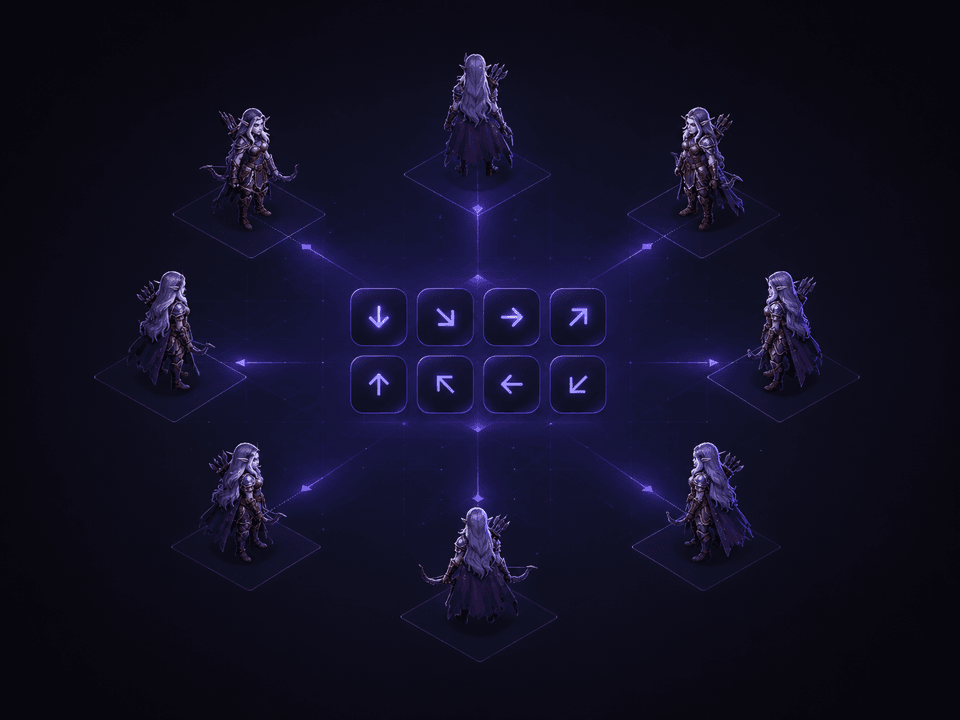
원클릭 8방향 아이소메트릭 캐릭터
캐릭터를 설명하기만 하면 45° 아이소메트릭 8방향 스프라이트 세트를 생성 —— 게임에 바로 사용하세요.
8방향
하나의 설명으로 북·북동·동·남동·남·남서·서·북서 전 방향을 완성합니다.
45° 아이소메트릭 뷰
클래식한 하이앵글 아이소메트릭 게임 시점을 전 방향에서 일관되게.
텍스트로 이미지 생성
원본 아트가 필요 없습니다 —— 캐릭터를 설명하면 바로 생성.
게임용 PNG
투명 배경. 방향별 또는 시트 전체를 다운로드하세요.
신기능
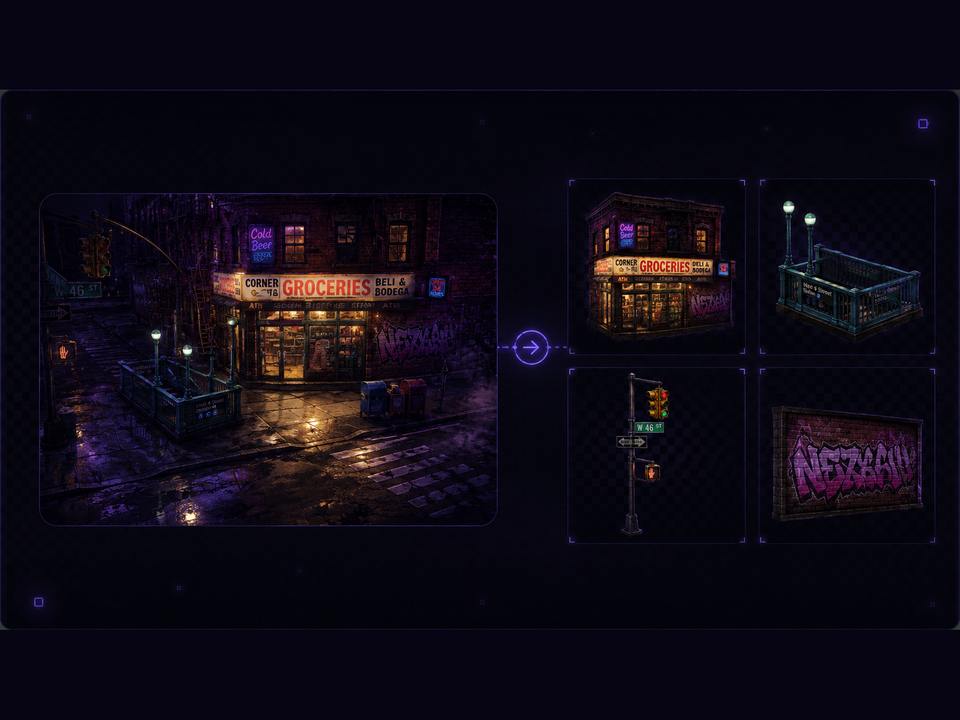
씬 하나를 통째로 에셋 팩으로
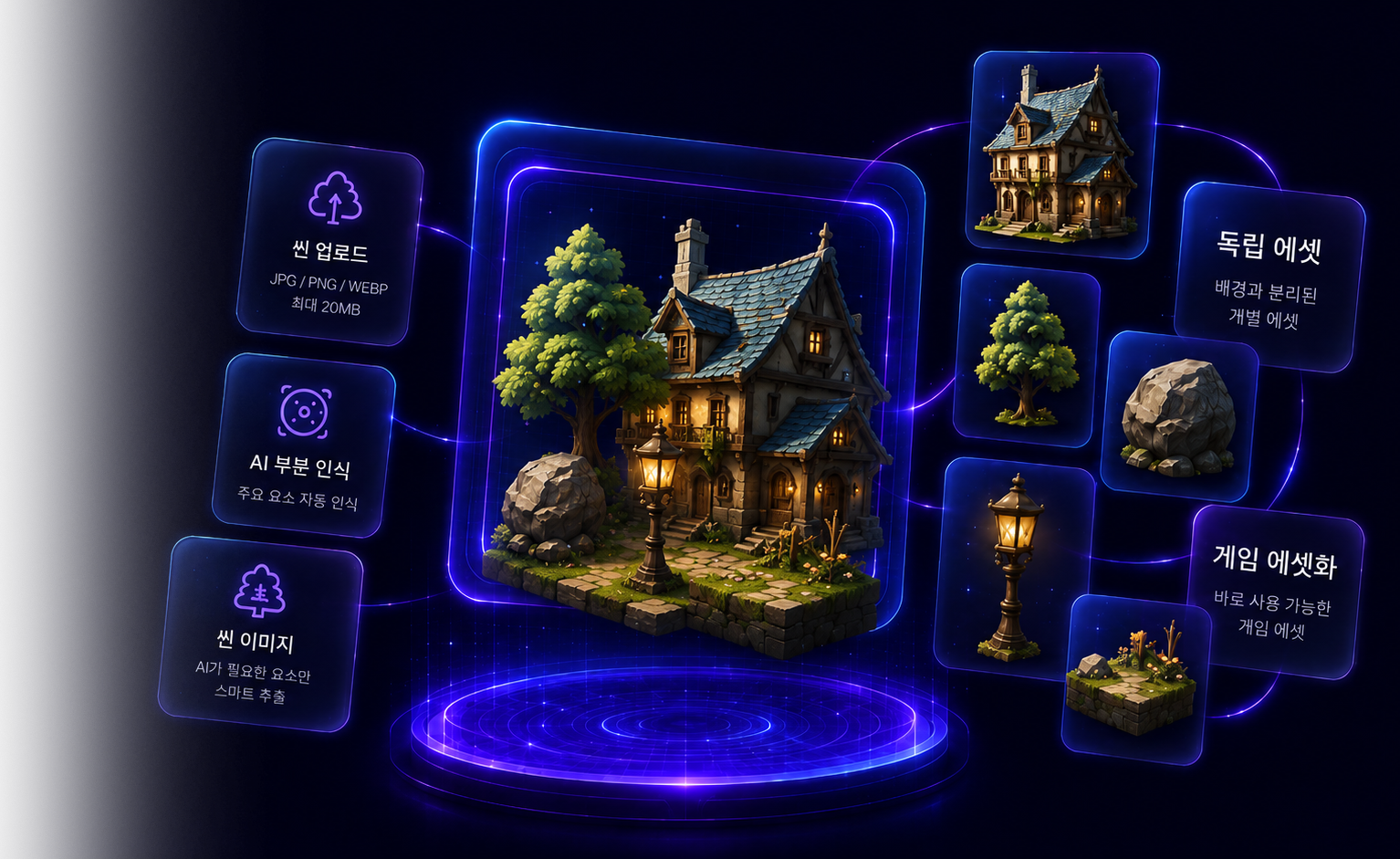
게임 씬을 업로드하면 AI가 안의 건물·나무·소품을 인식하고, 선택한 부품을 독립 에셋으로 추출합니다.
무료 AI 인식
부품 목록 인식은 무료. 크레딧은 실제로 추출하는 부품에만 소모됩니다.
씬의 시점을 유지
아이소메트릭 씬이면 부품도 아이소메트릭으로 — 원본 씬 옆에 그대로 어울립니다.
원클릭 배경 제거
모든 부품의 배경을 한 번에 제거하고, 에디터에서 컷아웃을 세밀하게 다듬을 수 있습니다.
부품 단위 과금 · 자동 환불
부품별로 과금되며, 실패한 부품은 자동으로 환불됩니다.
작동 방식
4단계, 이미지 한 장에서 스프라이트 시트까지
모든 단계가 게임 아트 워크플로우를 위해 설계되어, 유기적으로 이어지고 결과를 제어할 수 있습니다.
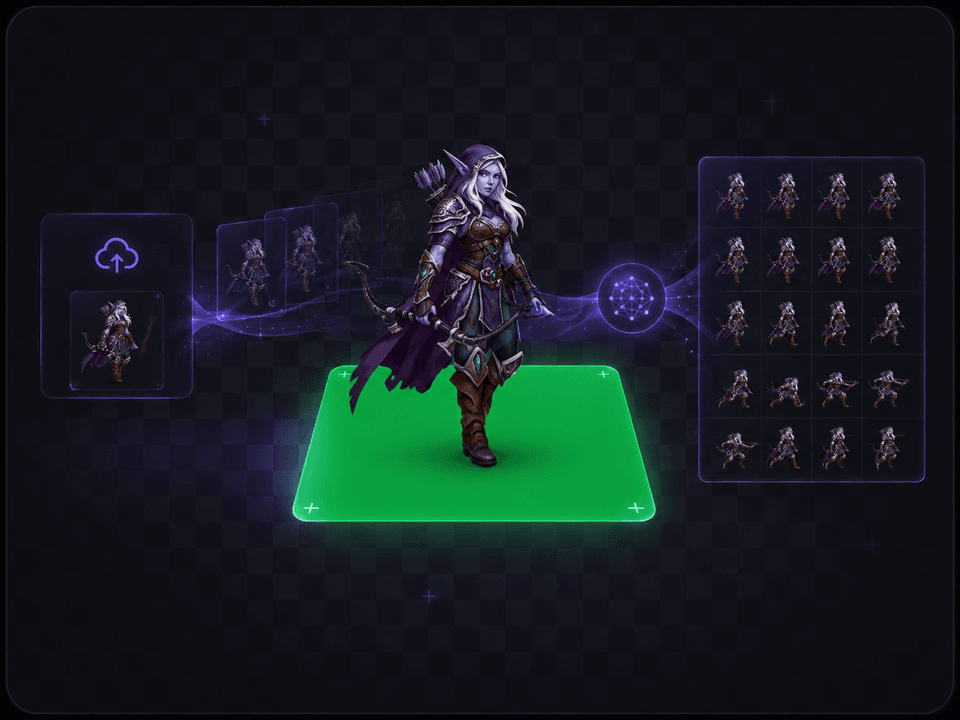
배경 제거 · 그린스크린
브라우저에서 배경을 자동으로 제거한 뒤 단색 그린스크린 위에 합성해, 이후 애니메이션과 투명 추출의 기반을 만듭니다.
AI 애니메이션 생성
최신 AI 모션 엔진이 정적인 캐릭터 이미지를 자연스럽고 매끄럽게 반복되는 동작 영상으로 만들어 냅니다. 원하는 해상도와 화면 비율을 선택할 수 있습니다.
프레임 추출 · 크로마키
영상을 프레임 단위로 분해하고, 선택 시 그린스크린을 실시간으로 제거해 투명 채널 시퀀스를 얻습니다.
키프레임 선별 · 내보내기
포즈 차이가 가장 큰 핵심 프레임을 자동으로 골라 스프라이트 시트로 조립하고, 엔진용 메타데이터를 함께 제공합니다.
핵심 기능
프로 게임 아트를 위한 설계
화질부터 워크플로우까지, 모든 디테일이 실제 프로덕션 환경을 견디도록 다듬어졌습니다.
브라우저 즉시 배경 제거
배경 제거는 WebAssembly로 브라우저에서 바로 실행됩니다. 서버 대기열 없이 즉시 처리되고, 깔끔한 컷아웃은 이후 그린스크린 위에 합성됩니다.
포즈 차이 기반 키프레임
단순 등간격이 아니라 포즈 차이를 기준으로 가장 대표적인 키프레임만 골라 더 깔끔한 시퀀스를 만듭니다.
엔진 친화적 내보내기
스프라이트 시트에 JSON 메타데이터(프레임 크기·행렬·각 프레임 좌표)를 함께 제공해 게임 엔진에 바로 연동됩니다.
완벽한 루프, 모든 시점 지원
걷기 사이클은 물론 횡스크롤과 45° 쿼터뷰까지 매끄럽게 반복됩니다. 모든 프레임에서 캐릭터가 제자리에 고정되고 방향이 일관되게 유지됩니다.
전 과정 제어 가능
해상도, 화면 비율, 키프레임 수, 스프라이트 시트 배치를 자유롭게 조정하고 실시간으로 다시 생성합니다.
안전한 산출물 관리
작업 중 생성되는 중간 산출물은 통제된 경로로만 접근할 수 있고, 외부에 공개되거나 다른 작업과 섞이지 않습니다.
요금제
구독하고 크레딧으로 생성하세요
Starter
- 매월 120 크레딧 + 보너스 20
- 무료 도구 포함 (배경 제거 · 프레임 추출 · 시트 조립)
- 투명 PNG · JSON 메타데이터 내보내기
- 모든 화면 비율
- 우선 처리 대기열 · 상업적 이용
- 갤러리 이미지 무료 다운로드
Pro
- 매월 300 크레딧 + 보너스 60
- 무료 도구 포함 (배경 제거 · 프레임 추출 · 시트 조립)
- 투명 PNG · JSON 메타데이터 내보내기
- 모든 화면 비율
- 우선 처리 대기열 · 상업적 이용
- 갤러리 이미지 무료 다운로드
Studio
- 매월 800 크레딧 + 보너스 190
- 무료 도구 포함 (배경 제거 · 프레임 추출 · 시트 조립)
- 투명 PNG · JSON 메타데이터 내보내기
- 모든 화면 비율
- 최우선 처리 대기열 · 상업적 이용
- 갤러리 이미지 무료 다운로드
결제는 Polar(Merchant of Record)를 통해 안전하게 처리됩니다. 언제든 해지할 수 있습니다.
도움말
자주 묻는 질문
사용자가 가장 많이 묻는 질문과 좋은 결과를 얻기 위한 팁을 모았습니다.
배경은 무엇이든 캐릭터 한 명이 또렷하게 나온 이미지가 가장 좋습니다. 정면 또는 3/4 각도로 전신이 잘리지 않게 담아 주세요. 도구가 배경을 자동으로 제거하고 캐릭터를 그린스크린 위에 올려 애니메이션을 만듭니다.